Back to Calculators

Calculator

Solution Dilution Calculator

This calculator helps determine the volume relationships for solution dilutions.

You can enter any three known parameters to calculate the fourth:

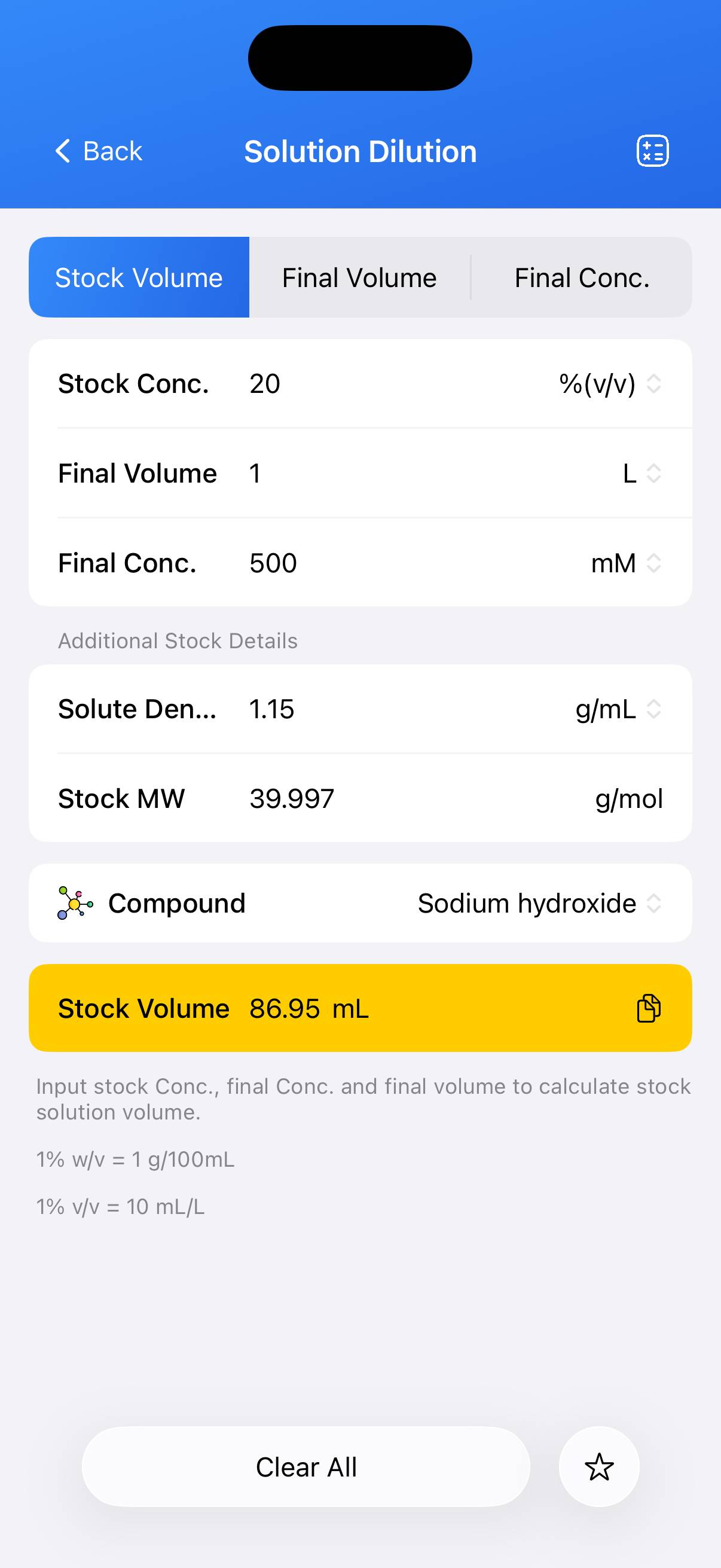
· Stock concentration, final solution volume, and final concentration → calculate required stock volume

· Stock concentration, stock volume, and final concentration → calculate final solution volume

· Stock concentration, stock volume, and final solution volume → calculate final solution concentration

Stock and final concentrations can be entered in molarity, v/v, or w/v units for flexible use.

23 calculators, 27 buffer and 44 stock solution recipes, every unit from M to aM

BioCalculator preview

Quick dilution calculator (C1V1 = C2V2)

Enter your values. Example values are pre-filled.

Free quick calculator

Result

Stock solution to add (V1):
10 mL
Diluent to add:
90 mL

V1 = C2 × V2 ÷ C1

Use the same unit for both concentrations.

Need to convert between w/v, v/v and molarity, or pick a compound instead of looking up its molecular weight? Use the dilution calculator in the BioCalculator app.

How it is calculated

Calculation modes in the app

  • Input stock Conc., final Conc. and final volume to calculate stock solution volume.V1 (L) = C2 × V2 (L) / C1
  • Input stock Conc., stock volume and final Conc. to calculate final solution volume.V2 (L) = C1 × V1 (L) / C2
  • Input stock Conc., stock volume and final volume to calculate final solution Conc.C2 = C1 × V1 (L) / V2 (L)

Worked example

Stock concentration (C1)
10
Final concentration (C2)
1
Final volume (V2)
100
Unit
mL
Stock solution to add (V1)
10 mL
Diluent to add
90 mL

Notes

  • 1% w/v = 1 g/100mL
  • 1% v/v = 10 mL/L
  • To dilute a w/w stock solution to a specified molarity, please first use the tool below to calculate the stock molarity.

Checks in the app

  • The stock Conc. must be greater than the final Conc.
  • The stock volume must be less than final volume.
  • The required stock volume is less than 1 µL. It is generally impossible to measure accurately.

What is the Solution Dilution Calculator?

The Solution Dilution Calculator allows you to compute the volume relationships for preparing diluted solutions from a stock solution. It supports multiple concentration units including w/v, v/v, and molarity.

By entering any three known parameters, the calculator can determine the fourth, streamlining solution preparation and eliminating manual calculation errors. The tool also includes a database of thousands of compounds, so you can select a compound directly without searching for its molecular weight.

Why Use This Calculator?

Accurate dilution calculations are essential for reproducible experiments, proper stoichiometry, and correct solution concentrations. The calculator handles various scenarios including:

  • w/v → Molarity、w/v or v/v dilution
  • v/v → Molarity、w/v or v/v dilution
  • Molarity → Molarity、w/v or v/v dilution
  • Convenient compound selection:
    Thousands of compounds are built-in, allowing selection without additional molecular weight lookup.

Key Features

  • Flexible Input:
    Enter any three parameters among stock concentration, stock volume, final concentration, and final volume to calculate the fourth.
  • Supports Multiple Units:
    Stock and final concentrations can be in molarity, w/v, or v/v units.
  • Automatic Conversion:
    Handles all necessary unit conversions internally, including density and molecular weight calculations.
  • Laboratory-Friendly:
    Clear, intuitive interface designed for practical laboratory workflow.
  • Error Reduction:
    Eliminates manual calculation mistakes and ensures reproducible results.

How It Works

  • Input Parameters:
    Provide the known combination of stock concentration, stock volume, final concentration, and final volume.
  • Select Units and Compound:
    Choose the appropriate unit (w/v, v/v, or molarity) and, if desired, select a compound from the built-in database.
  • Optional Density & Molecular Weight:
    Enter solute density for w/v ↔ v/v conversions, and molecular weight for v/v → Molarity conversions.
  • Instant Calculation:
    The missing parameter is calculated automatically, providing results in practical laboratory units.

Significance in Experimental Work

Accurate dilution calculations are critical for experimental reproducibility, chemical safety, and correct solution preparation. By supporting multiple concentration units, built-in compound information, and automatic density and molecular weight handling, this calculator provides a robust, reliable solution for routine laboratory workflows.

BioCalculator

Calculate with your own values in BioCalculator

The web calculator covers the basic formula. The full calculator is in the BioCalculator app.

In the app

  • Every unit from M to aM, plus % w/v and % v/v
  • Calculate in either direction, for example the volume from a mass
  • The formula with your numbers filled in, ready to copy into your notebook
  • All 23 calculators on this site, plus 27 buffer and 44 stock solution recipes

See the store for pricing and system requirements.

iOS app screenshot